First of all, you shouldn’t need to find the setting anymore, since now it leaves the title casing up to the formatting library, but if you click the avatar, you get
and settings, if you scroll down, has something like this:
Now gives you this:
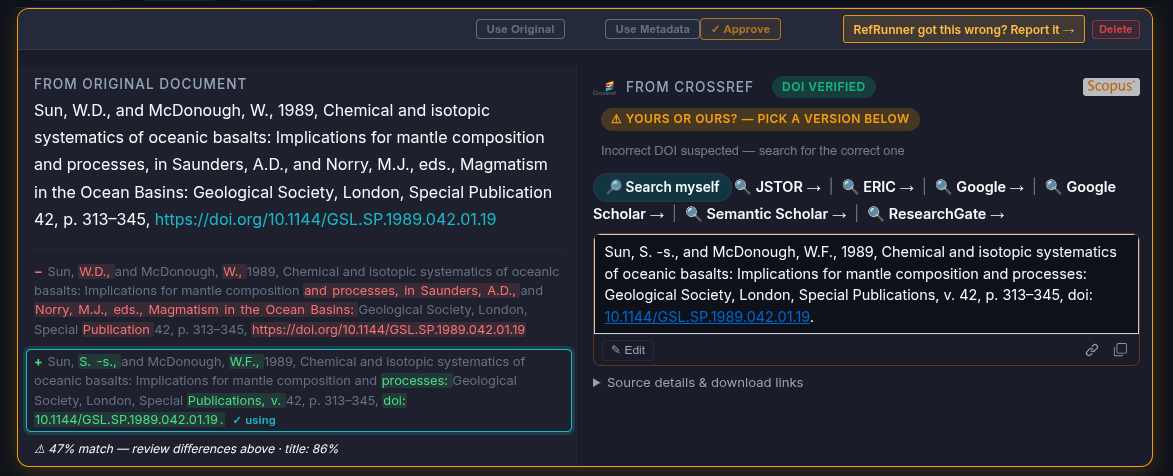
Clicking the copy icon under the editor on the right gives you the right reference (with the DOI as a link)
Sun, S. -s., and McDonough, W.F., 1989, Chemical and isotopic systematics of oceanic basalts: Implications for mantle composition and processes: Geological Society, London, Special Publications, v. 42, p. 313–345, doi: 10.1144/GSL.SP.1989.042.01.19.
It’s mostly impossible to figure out what’s a proper noun, so what RefRunner does if your title matches the metadata, is to copy your version, so at least RefRunner won’t throw away your work!
I looked at your last session with 204 references, and it looks like RefRunner did a pretty good job.
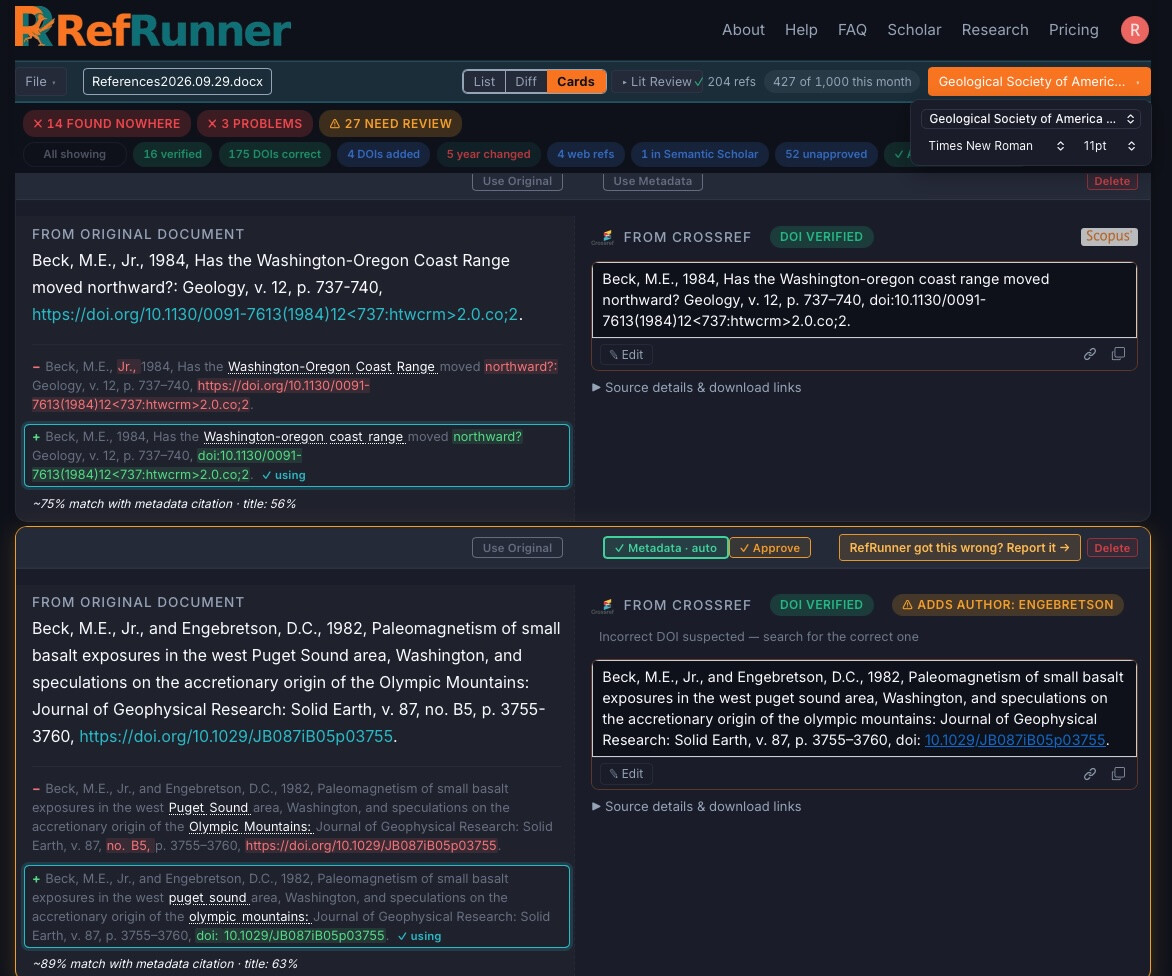
I do see that it failed to link this DOI: Beck, M.E., 1984, Has the Washington-Oregon Coast Range moved northward? Geology, v. 12, p. 737–740, doi:10.1130/0091-7613(1984)12<737:htwcrm>2.0.co;2.—it’s got those <> in it, which confuses the code that tries to link it. This is a bug, though most publishers are not so unreasonable as to include such in their DOIs! I’ll see what I can do to fix that. That affects about 5 in your list.
Here’s the answer on that. All of the references that RefRunner formats have working links, but the ones that it’s using your reference instead of the one it’s formatted are left un-linked.
It tries to give you a hint:
If you’ll select the RefRunner version:
They get properly formatted with the live links:
I’ll try to get the DOI-with-angle-brackets issue solved soon, but I think I’ve solved most of your issues, so I’m marking this one solved.
Thanks again for your report and patience.
I’ve switched this back to a public post so I can brag about fixing these bugs!