A few weeks since the May update and there are a few improvements worth mentioning.
Getting to the full text: proxy and open-access links
When RefRunner finds a paper, from your paper, clicking on a journal, or searching via the Scholar Interface, it now does more to help you retrieve with as few clicks as possible.
- EZProxy links on DOIs. If your library uses EZProxy, you’ll see a link that routes the DOI through your proxy — so you land on the licensed full text instead of a paywall, without copy-pasting anything.
- A
 landmark icon marks every link that goes through your library’s proxy, so you can tell at a glance which links use your institutional access.
 - An open padlock icon flags links to free, open-access versions. If there’s a legitimate free copy, you’ll see the padlock and can skip the login entirely.
If you haven’t already, you can click your avatar and then settings to get to the settings page to select your library. We also cleaned up the clutter: when a free open-access version exists, RefRunner now hides the redundant proxy/DOI links so you’re not staring at three links to the same paper.
Scholar Search
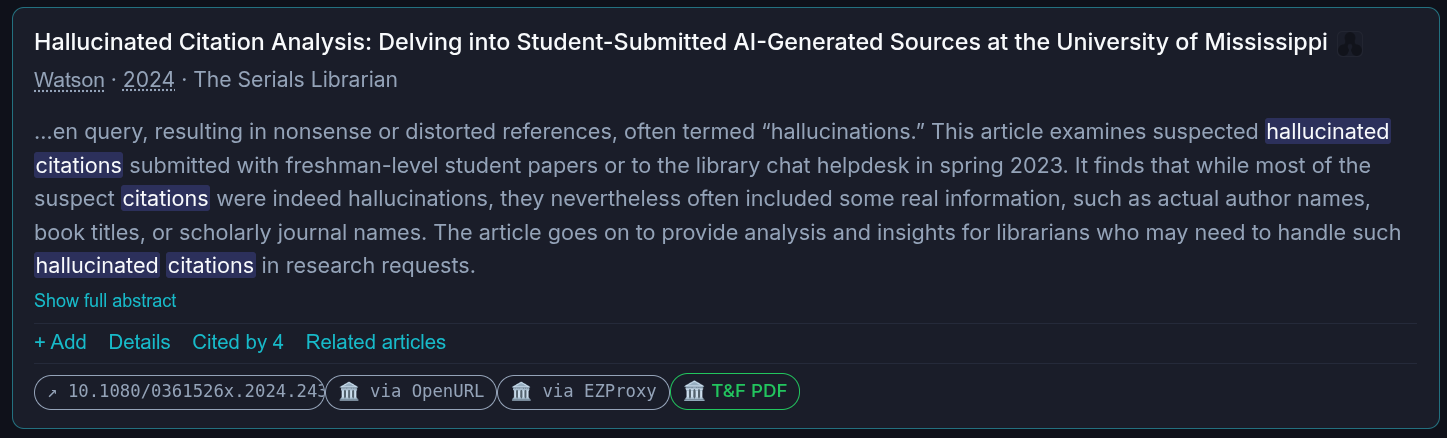
Lookup card
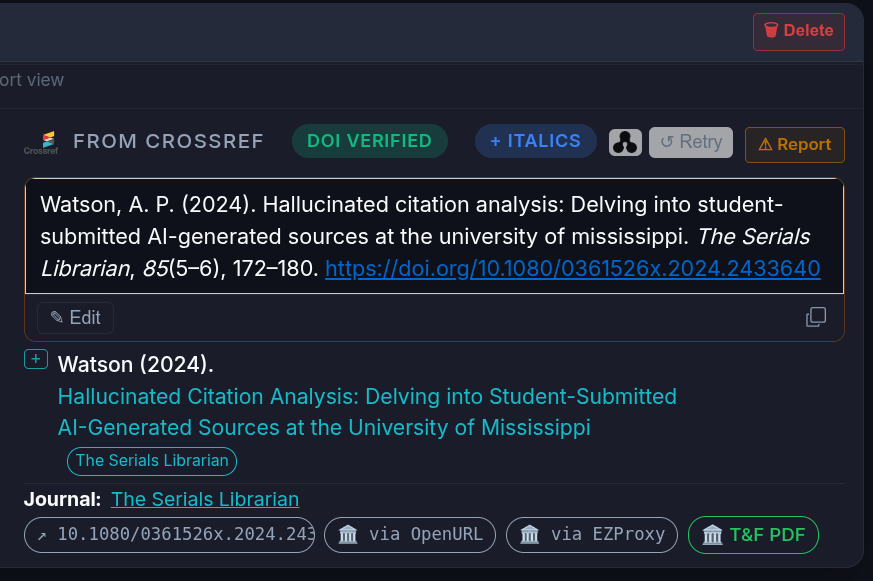
Journal Page
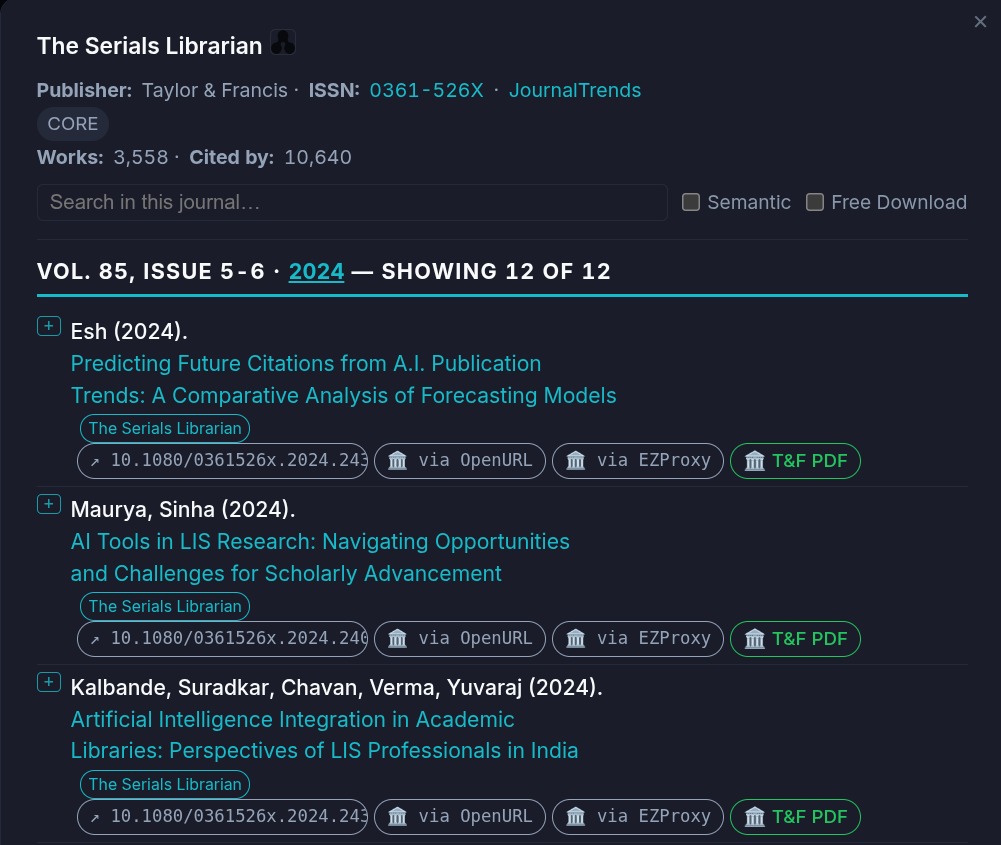
Every journal has its own link
You can now easily link directly to a journal (or “source” in OpenAlex parlance), with links like https://www.refrunner.com/sources/S205857434. When you click on a journal, the address updates so you can copy the link to share.
Your work saves itself
When a lookup session finishes, RefRunner now autosaves it for logged in users. If you close the tab and come back later, you can pick up where you left off.
Smoother input and fewer wrong guesses
Parsing text in multiple citation formats from multiple sources (word documents, PDF files, pasted text) is tricky, and we’re still finding cases where the parsing can be improved.
-
Pasting a reference list where everything got mashed onto one line? RefRunner now splits space-joined APA references correctly.
-
Dropping a PDF (or many PDFs) normally looks for a DOI in the PDF files to create a reference list of all of the PDFs. It’s always better to work from a Word document than a PDF file, but if you want to check references in a PDF file for some reason (like you’re developing a reference tool and need to test how it works), parsing a PDF will now give you the option to process the PDF’s references.
-
I did a bunch of work trying to help manage URLs in references. With some, it’s possible to verify that the title in the reference matches the title of the URL. When that happens, RefRunner will update the last access date in the reference. Sometimes a website refuses to let a crawler pull the data, so on those URLs you’ll be on your own.
Faster, more reliable parsing
Some documents with unusual formatting could cause the parser to fail to process any reference in the document. More of those are fixed now. Parsing is faster and more predictable, especially on empty reference lists.
Found a bug? Tell us in one click
There’s now a “Report a problem” link right in the app that opens a message to us — no email, no forum hunting. If something looks off, send it over; it genuinely helps.
Thanks for reading. If you’ve got a paper or revision coming up soon, don’t forget to let RefRunner give you a hand!